
Moz Domain Authority Checker Tool Guide
Choose a moz domain authority checker tool by checking metric fit, bulk options, history, and API access for domains you track.
A moz domain authority checker tool estimates how strong a domain looks in Moz's scoring system, but the score is only useful when you separate it from other authority metrics and read it beside backlinks, referring domains, rankings, and traffic. The best workflow supports single checks, bulk checks, history, exports, and API access.
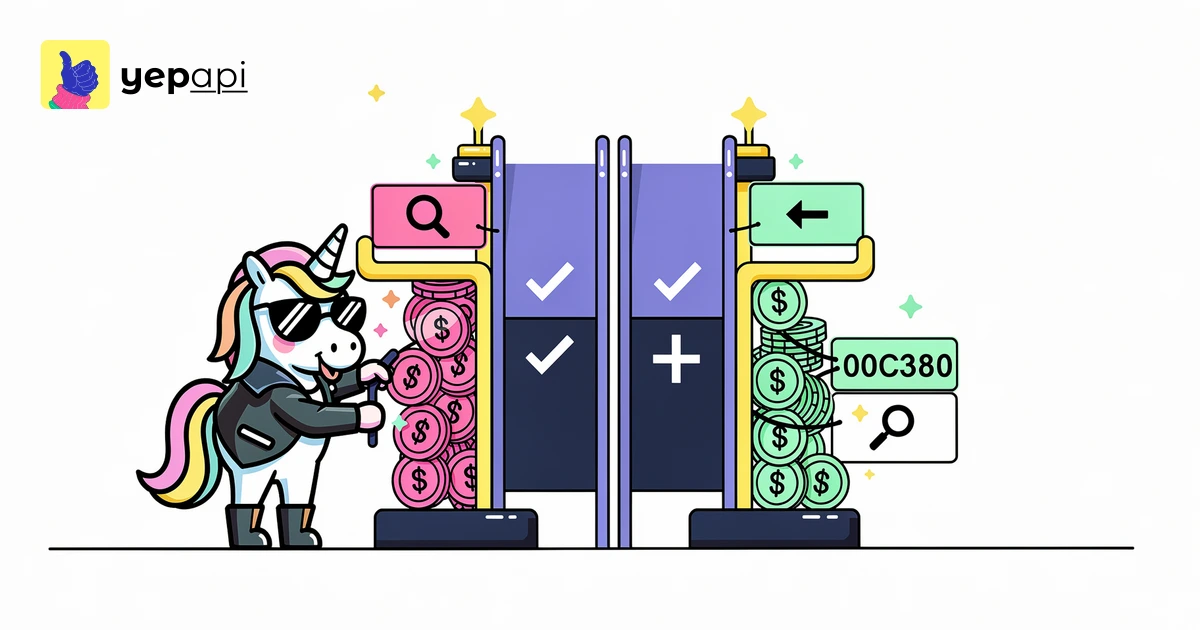
If you only compare raw scores, you will misread what a checker is telling you. Domain Authority, Domain Rating, and Authority Score are separate proprietary metrics. They are not interchangeable, even when the numbers look similar.
For production use, the more useful question is not just "what is the score?" but "what else can I inspect with it?" A solid website authority checker should let you review authority, backlinks, referring domains, ranking keywords, and traffic signals together.
What a moz domain authority checker tool actually measures#
A Moz-style DA checker is meant to estimate the ranking strength of a domain on a relative 0-100 scale. It is a comparative metric. It is not a Google ranking factor, and Google has repeatedly said it does not use third-party authority scores for Search, as explained in Google Search Central's ranking systems overview.
That distinction matters when you buy or build a checker. A good tool helps you compare domains against competitors, qualify outreach prospects, and prioritize audits. A weak tool turns DA into a vanity KPI with no context.
Use a checker to answer questions like these:
- Is this site generally stronger or weaker than competing domains?
- Did a domain's authority move after link gains or losses?
- Does a high score match the backlink profile and keyword footprint?
- Is the score credible once you inspect spam risk and organic visibility?
moz domain authority checker tool free: what free tools miss#
A free checker is fine for one-off lookups. It is usually not enough for repeated audits, prospecting, or portfolio monitoring. That is why posts like free online domain authority checker and free bulk domain authority checker are useful starting points, but they are not the whole workflow.
Most free tools limit one of five things: query volume, export options, freshness, companion metrics, or automation. If you need to screen dozens or hundreds of domains, those limits become the product.
Here is the practical difference:
| Need | Single free lookup | Better workflow |
|---|---|---|
| One domain check | Usually enough | Fine either way |
| Bulk analysis | Often restricted | CSV or API batch process |
| History tracking | Rare | Saved snapshots over time |
| Team use | Manual copying | Shared exports or code |
| Integration | None | API into your own tooling |
A table is the right format here because comparison tasks are easier to scan in structured markup, and MDN's documentation on the HTML table element explains why tables suit tabular data.
DA vs PA vs DR vs Authority Score#
This is where many checker pages become inaccurate. Domain Authority measures domain-level strength in Moz's model. Page Authority measures page-level strength in the same family of metrics. Domain Rating and Authority Score come from different vendors and different methodologies.
You should not swap one for another in reporting. If one tool says a site has DA 42 and another says DR 55, that does not mean the second tool found a stronger domain. It means you are reading different scales produced by different systems.
da pa checker#
A da pa checker is useful when you need to compare domain-level and page-level strength together. Use DA when you care about the whole site. Use PA when you care about a specific URL, such as a link target or a resource page.
Quick comparison#
| Metric | Scope | What it is good for | What it is not |
|---|---|---|---|
| Domain Authority | Domain | Relative domain comparison | A Google metric |
| Page Authority | Page | Evaluating one URL | A full-site health score |
| Domain Rating | Domain | Relative link-based comparison | The same thing as DA |
| Authority Score | Domain | Broad domain benchmarking | A substitute for DA |
If you need a wider view than a single authority number, YepAPI's Domain Overview API is the better operational tool because it lets you inspect adjacent metrics in one request instead of trusting one score in isolation.
How to evaluate a website authority checker#
Most pages stop at "enter a domain and get a number." That is too shallow for real decisions. Evaluate a checker on the workflow around the number.
Use this checklist:
- Metric clarity: Does the tool clearly say whether the score is DA, PA, DR, or another metric?
- Companion metrics: Does it show backlinks, referring domains, organic traffic, and ranking keywords?
- Bulk handling: Can you upload a list or process domains at scale?
- Export support: Can you save CSV output for later review?
- History: Can you compare snapshots over time?
- Integration: Is there an API for automation?
- Spam context: Can you pair authority with risk signals such as spam score?
That last point matters because a rising authority score without clean supporting signals can still describe a bad prospect. Pair authority with link quality and relevance, not just quantity. If you need domain-level benchmarks plus rankings and traffic, YepAPI's domain metrics endpoint and domain keywords endpoint are the natural next checks.
How to check domains one by one#
For a single site, the manual process is simple. Start with the domain. Then compare the authority number with adjacent evidence.
Use this order:
- Check the authority score for the root domain.
- Review backlinks and referring domains to see whether the score looks supported.
- Review ranking keywords and estimated organic traffic.
- Compare the domain with two or three real competitors.
- Save the result so you can check movement later.
If you are doing this in code, YepAPI's Domain Overview API is the straightforward path because it returns multiple SEO signals in one place instead of forcing repeated manual lookups.
domain authority checker api: how to do this at scale#
The biggest content gap on this topic is scale. Teams do not just check one domain. They check prospect lists, client portfolios, expired domains, and competitors in batches.
A good domain authority checker api workflow should support three things: list input, structured output, and repeatable snapshots. That is where YepAPI's Keyword API and SEO endpoints fit. They let you move from one-off lookups to code, scheduled jobs, and internal tools.
A practical batch workflow looks like this:
- Put your domains in a CSV.
- Normalize them to root domains.
- Call the authority endpoint for each domain.
- Join the result with backlinks, referring domains, and keyword data.
- Flag outliers where the authority score and supporting metrics disagree.
- Export the enriched list for review.
For adjacent link signals, use YepAPI's domain backlinks endpoint. If a domain looks strong on paper but has weak or irrelevant links, the backlink review will usually reveal why.
Bulk checking and CSV workflows#
Bulk checking is not just faster. It changes the kind of analysis you can do. You can segment prospects by score ranges, compare competitors in groups, and review historical deltas across an entire portfolio.
For example, suppose you upload 500 domains from a partner prospecting list. The authority number alone gives you a rough sort. But when you append referring domains, ranking keywords, and traffic estimates, you can separate domains that look strong from domains that only look inflated.
That is also why backlinks vs referring domains is a useful companion read. Two domains can have similar authority-style scores but very different link profiles.
check domain authority history#
History is the gap almost nobody covers. A single score tells you where a domain is now. A series of snapshots tells you whether the domain is improving, decaying, or simply fluctuating.
Track history like this:
- Save a weekly or monthly snapshot.
- Compare authority changes with backlink gains or losses.
- Check whether ranking keyword growth followed the same direction.
- Note major site migrations, link cleanups, or campaign launches.
You do not need daily checks for most sites. Monthly is usually enough for prospect lists and quarterly audits. Weekly works for active campaigns and close competitors.
YepAPI's trends endpoint is useful when you want repeatable time-series review around related visibility patterns, while domain traffic helps you test whether authority changes align with organic traffic movement.
What affects Domain Authority#
Authority metrics usually respond to the shape and quality of the link profile over time. High-quality backlinks, stronger referring domains, and consistent site credibility tend to help. Link decay, weak links, and spammy patterns can work the other way.
You should also remember that relative metrics can move even when your site does not change much. If the wider index updates or competitors improve, your comparative score can shift. That is another reason to treat authority as directional rather than absolute.
How to improve Domain Authority without chasing the score#
The wrong way to improve DA is to chase DA directly. The better method is to improve the inputs that usually correlate with stronger authority.
Focus on:
- Earning relevant backlinks from credible sites.
- Growing the number of distinct referring domains.
- Publishing link-worthy resources.
- Cleaning up obvious spam and low-value pages.
- Strengthening internal architecture and on-page quality.
If you are deciding where to invest next, combine authority with keyword opportunity. A domain can have a decent authority score and still underperform because it ranks for the wrong terms. That is where keyword difficulty check tool becomes useful alongside authority review.
Use authority with adjacent metrics, not as a standalone KPI#
A domain score is a summary, not a diagnosis. Treating it as your main KPI leads to bad decisions.
A better evaluation stack looks like this:
| Metric | Why pair it with authority |
|---|---|
| Backlinks | Shows the raw link inventory |
| Referring domains | Shows linking-site breadth |
| Spam score | Adds risk context |
| Ranking keywords | Shows actual search presence |
| Organic traffic | Shows likely business impact |
If you need the concept of referring domains clarified first, read what is a referring domain. It explains why link breadth often matters more than raw backlink counts.
Which tool is best for your workflow?#
The best checker depends on the job.
- For a quick one-off lookup, a free checker is enough.
- For prospecting, bulk review matters more than a pretty interface.
- For ongoing audits, history and exports matter.
- For product teams and agencies, API access matters most.
That is the main reason to use YepAPI's Domain Overview API: it is the "do this in code" answer. You can check domains one by one, enrich lists in bulk, and combine authority with traffic, keyword, and link data in your own workflow.
CTA: check domains in code#
Need more than manual lookups? Pull domain authority-style metrics, backlinks, keywords, and traffic signals with YepAPI's Domain Overview API and related SEO endpoints. You get $5 free credit and no card is required.
FAQ#
What is the best domain authority checker?#
The best domain authority checker depends on your workflow. For one domain, a free single-check tool is fine. For recurring audits, prospecting, or portfolio reviews, the better choice is a checker that separates DA from lookalike metrics, includes backlinks and keyword data, supports exports, and offers API access for bulk use.
How do I check my DA?#
Check your DA by entering the root domain into a domain authority checker, then reviewing the score beside supporting metrics like backlinks, referring domains, ranking keywords, and organic traffic. For one-off checks, manual lookup works. For repeated checks across many sites, a bulk workflow or API is faster and less error-prone.
How to increase Moz domain authority?#
Increase Moz Domain Authority by improving the signals that usually support stronger authority, not by chasing the score itself. Earn relevant backlinks, grow unique referring domains, publish assets that attract links, clean up weak or spammy sections, and track progress over time against rankings and traffic, not authority alone.
How to check domain authority in SEMRush?#
In Semrush, you would be checking that platform's own authority-style metric rather than Moz Domain Authority. The important step is to avoid treating those numbers as interchangeable. If you compare tools, label each metric clearly, then pair it with backlinks, referring domains, and ranking visibility so the score has context.
Topics