Keyword Difficulty Check Tool: How to Use One
A keyword difficulty check tool estimates how hard a query is to rank for by combining SERP strength, links, and competition.
A keyword difficulty check tool estimates how hard it may be to rank for a query in organic search. The score is not a Google metric. It is a vendor estimate based on SERP strength, backlinks, and competition, so you should always validate it against the live results before trusting it.
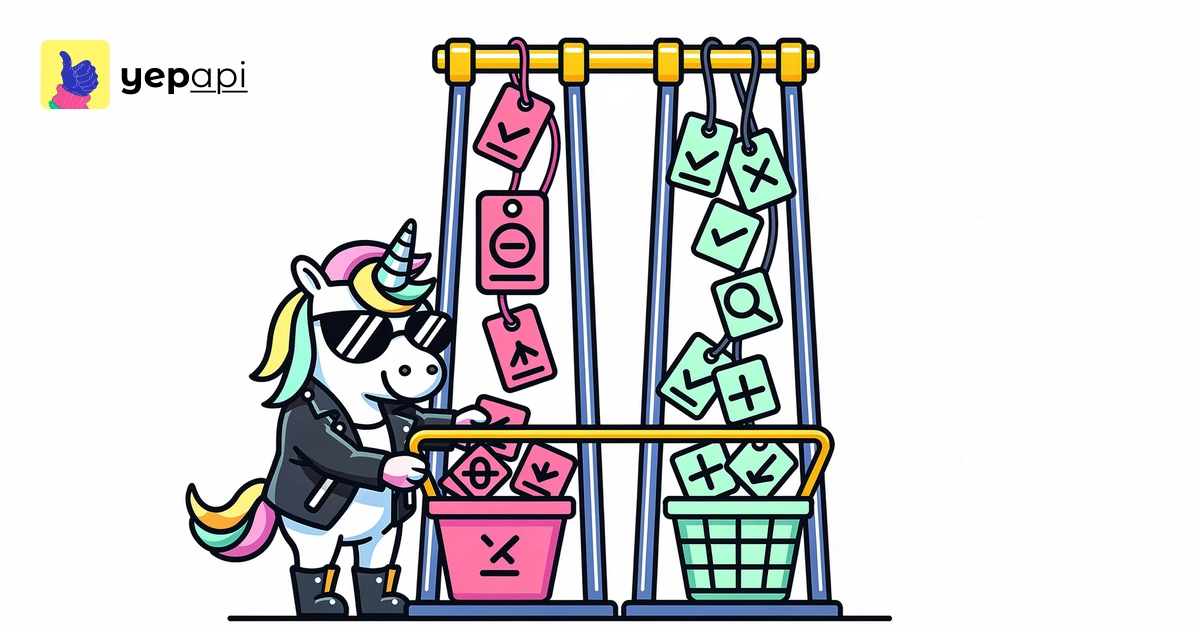

If you only look at a single number, you will miss the real question: can your site win this keyword now? That is the gap most checker pages leave open. A practical workflow combines difficulty with search intent, search volume, domain strength, and the shape of the current SERP.
What a keyword difficulty check tool measures#
Most keyword tools compress many signals into one score. The common inputs are backlink strength, domain-level authority, topical relevance, and how competitive the current top results look. Google explains in its SEO starter guide that search optimization is about making content discoverable and useful, not chasing one platform score.
That matters because keyword difficulty is not standardized. A 25 in one tool is not automatically a 25 elsewhere. Treat the score as a shortcut for prioritization, not as a rule of nature.
When you need this in code, YepAPI's Keyword API is the right starting point because it lets you pull keyword datasets at scale instead of checking terms one by one.
How to check keyword difficulty#
Use this sequence every time:
- Check the keyword's estimated difficulty.
- Check its search volume and trend.
- Open the live SERP and inspect who already ranks.
- Compare those sites with your own domain strength and topical authority.
- Decide whether the keyword is realistic now, later, or never.
This is why a standalone keyword difficulty checker is helpful but incomplete. You also need keyword search volume and difficulty in the same workflow, plus live ranking data from YepAPI's Google SERP API.
Keyword difficulty check tool limits you should know#
A score can hide SERP conditions that matter more than the number itself. If the results page is full of major brands, rich SERP features, or pages with strong backlink profiles, ranking may be harder than the score suggests. If the query is specific and driven by clear intent, a smaller site can sometimes outrank bigger domains with a tighter page.
Google's documentation on search appearance and features is useful here because SERP elements can change the click-through pattern even when rankings stay the same. A keyword with moderate difficulty but a crowded results page may send less organic traffic than a harder-looking keyword with cleaner results.
How to validate a keyword difficulty score against the live SERP#
This is the step most tool pages skip, and it is the part that actually improves decisions.
Check these five things in the live results:
- Ranking domains. Are they niche sites, established publishers, or household brands?
- Backlink strength. Do the top pages have many referring domains?
- Intent match. Are the results guides, product pages, tools, category pages, or videos?
- SERP features. Are ads, maps, snippets, or video packs pushing organic links down?
- Content quality. Are the ranking pages thin, or are they comprehensive and current?
If you want to compare your site to the field, YepAPI's domain overview endpoint helps you benchmark the domains already ranking. If the results page is feature-heavy, the post on which SERP features are available for my keywords gives a quick framework for what to watch.
Keyword search volume and difficulty belong together#
A low-difficulty keyword is not always a good keyword. Some terms are easy because almost nobody searches for them, or because they bring the wrong intent. Others are worth pursuing because they are specific, commercial, and aligned with what your site already covers.
That is why search volume, intent, and difficulty should be read together. If you are building topic sets, the post on keyword research and strategy is the better next read than another isolated score checker.
For production workflows, YepAPI's keyword ideas endpoint helps expand a seed term into adjacent opportunities, and keyword intent data helps sort informational queries from commercial ones.
Low difficulty keywords are not universally good#
Low difficulty keywords are usually best when your site is new, narrow, or still building authority. Long-tail keywords often fit that profile because they are more specific and less contested. If you need a refresher, see what is long tail keywords and recall the benefits of long-tail keywords.
But low difficulty alone does not make a keyword a win. A low-score query with weak intent can waste content resources. A slightly harder keyword with better fit and stronger conversion potential can be the smarter target.
Decision thresholds by site maturity#
These ranges are not universal, but they are practical starting points:
| Site maturity | Sensible starting range | What to target |
|---|---|---|
| New site | 0-20 | Long-tail queries with clear intent and modest competition |
| Growing site | 20-35 | Topic clusters where you already have supporting content |
| Established site | 35-50 | Higher-volume terms with comparable competitors |
| Strong authority site | 50+ | Head terms only when intent and content fit are strong |
Use these ranges as triage, not law. A newer site can still win harder queries if the SERP is weak, and an older site can still fail easy ones if the content misses intent. Good HTML structure also helps pages stay understandable to crawlers and users, as MDN explains in its table element reference.
Keyword competition for your site vs keyword competition in general#
There are two different questions people merge into one.
First, how competitive is the keyword in the market overall? Second, how competitive is it for your site right now? The second question is the one that matters for prioritization.
If your domain is still maturing, compare your current strength with the sites on page one. The guides on how to check website domain authority and free online domain authority checker are useful here because they frame competitiveness at the domain level, not just at the keyword level.
Use a keyword difficulty check tool at scale with APIs#
Manual checking works for ten keywords. It breaks when you need to score hundreds or thousands, join them with volume, cluster them, and send them into an internal dashboard or content brief generator.
That is where YepAPI's Keyword API is the practical answer. You can combine keyword difficulty data, volume and overview fields, and live Google results in one repeatable workflow. If you also want to organize opportunities by topic, the explainer on what is keyword clustering fits naturally after bulk scoring.
A simple production workflow looks like this:
- Pull a seed list of keywords.
- Enrich each keyword with difficulty, volume, and intent.
- Fetch the live SERP for priority terms.
- Compare ranking domains with your site's current strength.
- Route keywords into buckets: publish now, support with cluster content, or defer.
If you test the flow in an API client first, Postman documents a clean send-an-API-request workflow for validating requests before you automate them in code.
When to trust the score and when to override it#
Trust the score when it matches what you see in the SERP. Override it when the live results show weak pages, mixed intent, stale content, or a format mismatch you can exploit.
The point of a difficulty tool is faster prioritization. The point of validation is avoiding false confidence.
Do this in code with YepAPI's Keyword API#
If you need repeatable keyword selection, use YepAPI's Keyword API instead of copy-pasting terms into a web form. You can pull difficulty, volume, intent, ideas, and live SERP data, then score opportunities against your own rules.
CTA: Pull keyword data in code with YepAPI's Keyword API. You get $5 free credit and no card is required.
FAQ#
How to check keyword difficulty?#
Start with a difficulty score, then verify the live results before making a decision. Check the ranking domains, backlink strength, search intent, SERP features, and content quality on page one. A good workflow also compares the keyword's search volume and business value so you do not chase easy but low-opportunity terms.
Is there a free tool that can check the keyword density of my content?#
Yes, many free tools can calculate keyword density, but that is a different task from keyword difficulty. Density measures how often a term appears on your page. Difficulty estimates how hard it may be to rank in search results. For SEO decisions, intent, relevance, and SERP competition matter more than density alone.
Is there a free tool that can check my keyword ranking?#
Yes, free rank checkers exist, but they answer a different question from a keyword difficulty checker. Ranking tools show where your page appears now for a query. Difficulty tools estimate how competitive that query may be before you target it. Many teams use both together when planning and measuring SEO work.
Can I use Ubersuggest for free?#
It offers some free access, but free usage limits and features can change over time, so you should verify the current plan on the product's own site. More importantly, do not compare tools on price alone. Compare how clearly they explain difficulty, whether they expose live SERP context, and whether they support API workflows.
Topics