
How Long Does It Take to Disavow Links
How long does it take to disavow links? Usually days to weeks for processing, then longer for recrawling and any ranking impact.
How long does it take to disavow links? Google can accept a disavow file immediately, but the effect usually takes days to weeks because links must be recrawled and signals reprocessed. Visible ranking changes, if any, often take longer, and some sites see no measurable change at all.
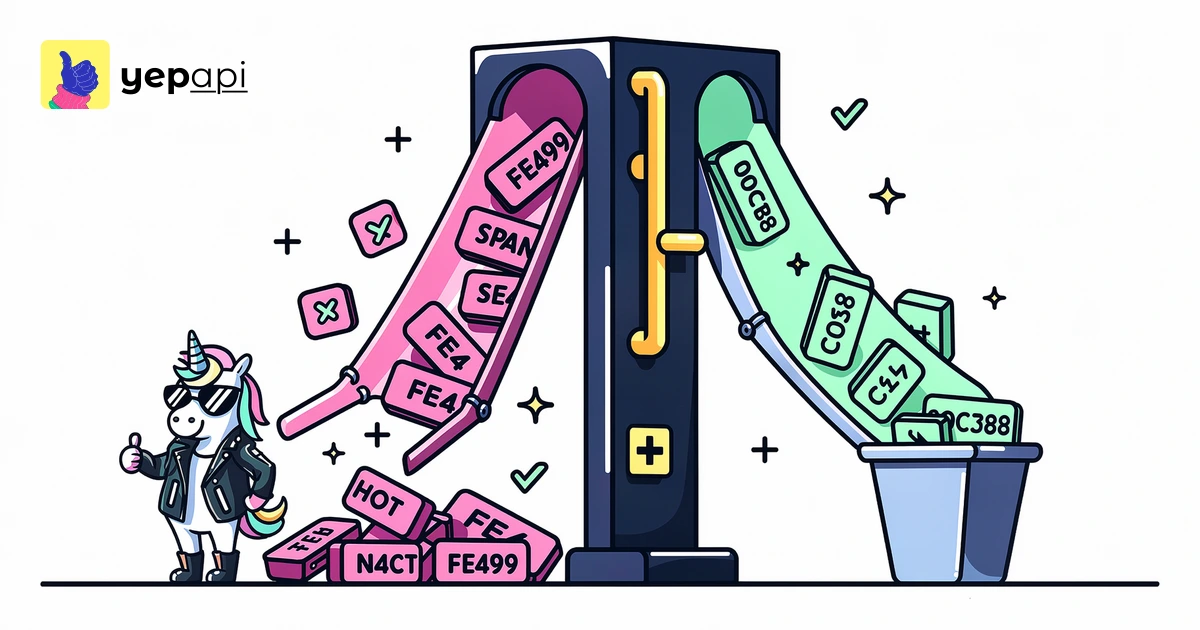
The realistic timeline for how long does it take to disavow links#
The best answer is a staged one. Submission is fast. Processing is not.
- Upload: minutes. You submit the file in the Disavow Links Tool and Google stores the latest version.
- Recrawl: days to several weeks. Google has to revisit the pages or domains named in the file before it can apply the change to those links.
- Reprocessing: days to weeks after recrawl. Link signals have to be folded back into Google's systems.
- Visible impact: sometimes none, sometimes weeks to months. Rankings move only if those links were materially affecting the site in the first place.
Google says the disavow tool should be used with caution because it is an advanced feature and misuse can harm your site's performance, according to Google's Search Console documentation. That warning matters because the timeline question only makes sense after you confirm the links are actually worth disavowing.
What disavowing links means#
A disavow file tells Google to ignore specific backlinks when assessing your site. You can disavow at the URL level or the domain level.
In practice, domain-level disavow is often cleaner for repeated spam from the same source. Before you upload anything, a backlink audit should separate one-off junk URLs from patterns across entire referring domains. If you need to pull that list in code, YepAPI's Domain Backlinks API is the direct way to export backlink records at scale.
When to disavow links#
Most sites should not rush to disavow every ugly backlink they find. Google has spent years getting better at ignoring many low-value spam links automatically, but a manual action or a clear pattern of manipulative link building is different.
Use the disavow process when you have evidence of harmful links, especially after paid links, hacked links, negative SEO bursts, or a manual action tied to unnatural links. If you are still learning what a healthy authority profile looks like, compare your cleanup work with a broader domain authority check workflow so you do not confuse weak links with toxic ones.
What changes the timeline#
Several factors explain why one disavow file seems fast and another seems slow.
| Factor | Why it changes timing | Typical effect |
|---|---|---|
| Crawl frequency | Frequently crawled pages are revisited sooner | Faster recrawl |
| Site size | Large spam networks create more URLs to revisit | Slower overall |
| Domain vs URL disavow | Domain rules can cover many links at once | Operationally simpler |
| Links still live | Live links can be checked again by crawlers | Easier to reprocess |
| Manual action status | Human review adds a separate step | Longer recovery path |
| Link importance | Weak links may change nothing visible | No obvious ranking shift |
Google's crawler discovers and revisits URLs on its own schedule, and crawl timing varies by page and site, as described in Google's crawling documentation. That is the main reason no one can promise an exact number of days.
Another practical factor is your own file quality. A sloppy disavow file full of duplicates, formatting mistakes, or links that were never risky can delay your decision-making even if Google accepts the upload. If you want to group toxic backlinks by source before submission, YepAPI's Backlinks Referring Domains endpoint helps consolidate link patterns into domain-level candidates.
Google disavow tool: algorithmic suppression vs manual action#
This is the distinction most pages miss. Algorithmic cleanup and manual action recovery do not run on the same clock.
If there is no manual action, you are waiting for Google to recrawl the listed links and reprocess their signals. That can be relatively quiet. You may never receive a confirmation that a specific link was discounted.
If there is a manual action, disavowing is only part of the workflow. You usually also remove what you can, document the effort, and submit a reconsideration request in Google Search Console. The review step adds human waiting time, so recovery can take longer than simple recrawl and reprocessing.
How to make a disavow file#
A disavow file is a plain text file with one instruction per line. You can list a full URL or use domain: for domain-level disavow.
A simple workflow is:
- Export candidate backlinks.
- Remove links that are merely irrelevant, weak, or harmless.
- Group repeated offenders by referring domain.
- Create a
.txtfile with one URL ordomain:example.comper line. - Keep comments with
#only for your own notes. - Upload the latest file version.
Plain text formatting rules matter because the file is parsed mechanically. The HTML standard maintained by WHATWG is a reminder that machine-readable formats succeed or fail on exact syntax, and disavow files are no exception.
Can you update, replace, or delete a disavow file?#
Yes. The latest uploaded file replaces the previous one.
That means timing is not cumulative in a simple way. If you add new entries, those new links still need recrawl and reprocessing. If you remove entries, Google may start counting those links again after it sees and re-evaluates them.
Operationally, keep versioned copies and changelogs. If you are tracking suspicious domains over time, YepAPI's Backlinks Summary endpoint can help you watch whether the risky segment is shrinking, stable, or growing between audits.
How to tell whether Google likely processed your disavow file#
You cannot verify processing link by link from a public report. That is the sober answer.
What you can watch is a set of indirect signals:
- the file upload was accepted without format errors
- the listed links or domains continue to be recrawled over time
- a manual action is revoked after reconsideration
- ranking declines stop worsening
- backlink concentration from known spam sources falls in later audits
Do not over-attribute every ranking change to the disavow file. Rankings shift for many reasons, including content quality, internal links, query demand, and competing pages. To compare before-and-after link populations in code, YepAPI's Domain Overview API gives a wider domain context around authority and backlink trends, while the best link building and backlink analysis tools for seo roundup is useful if you are comparing manual workflows and software options.
Mistakes to avoid when using the disavow tool#
The biggest mistake is using the tool as a first resort. Disavowing normal low-quality links is not the same as disavowing manipulative spam.
Avoid these errors:
- disavowing good links by mistake
- uploading a file before trying removals for a manual action case
- mixing URL-level and domain-level rules without a reason
- replacing a file and forgetting older entries you still need
- assuming ranking recovery proves causation
If your issue is a bad acquisition strategy rather than an attack, fixing the process matters more than the file. These link building tips are a better long-term remedy than repeated cleanup.
Programmatic monitoring of toxic backlinks and disavow candidates#
Manual review works for small sites. Larger sites need repeatable checks.
A practical monitoring loop is:
- pull new backlinks regularly
- flag referring domains with repeated spam patterns
- cluster suspicious anchors, TLDs, and target pages
- review borderline cases manually
- update the disavow file only when the evidence is strong
This is where YepAPI's backlink endpoints fit. Use YepAPI's Domain Backlinks API to pull raw links, Backlinks Referring Domains to group sources, and Backlinks Summary to track aggregate change. For teams comparing cleanup with growth work, the best link building service post helps separate outsourced acquisition from risk control.
Bottom line#
A disavow upload is immediate, but meaningful effects usually take days to weeks for recrawl and longer for any visible ranking movement. Manual actions often take longer because reconsideration adds a human review step.
The right operational question is not only "how long" but also "what exactly am I waiting for?" If you need to audit, group, and recheck risky backlinks at scale, YepAPI's Domain Backlinks API is the fastest way to turn disavow candidate review into a repeatable workflow.
Pull backlink data in code with YepAPI's Domain Backlinks API — $5 free credit, no card.
FAQ#
How to disavow bad links?#
Start by auditing backlinks and isolating links that are clearly manipulative, spammy, or tied to a manual action. Then create a plain text disavow file with URL or domain entries and upload it through Google's Disavow Links Tool. Use domain-level entries for repeated offenders, and keep versioned copies of every file you submit.
How many backlinks does it take to rank a website?#
There is no fixed number. Rankings depend more on link quality, relevance, competition, search intent, and page strength than on raw backlink count. A page can rank with few backlinks in a low-competition niche, while harder queries may require stronger referring domains, better content, and broader site authority across the whole domain.
How to use the Google Disavow tool?#
Prepare a plain text file listing the URLs or domains you want Google to ignore, then upload it in the Disavow Links Tool for the correct Search Console property. The latest file replaces the previous one. After submission, Google still needs time to recrawl the listed links and reprocess their signals.
How to make a disavow file?#
Make a UTF-8 plain text .txt file with one instruction per line. Use full URLs for single pages or domain:example.com for domain-level disavow. Add comments only with # if you need notes for your team. Keep the file clean, deduplicated, and versioned so future updates do not drop earlier entries by accident.
Topics